Glance Bridge
An iPhone app for the Glance Clock, the Bluetooth wall clock from the 2016 crowdfunding campaign, whose original app is no longer available.
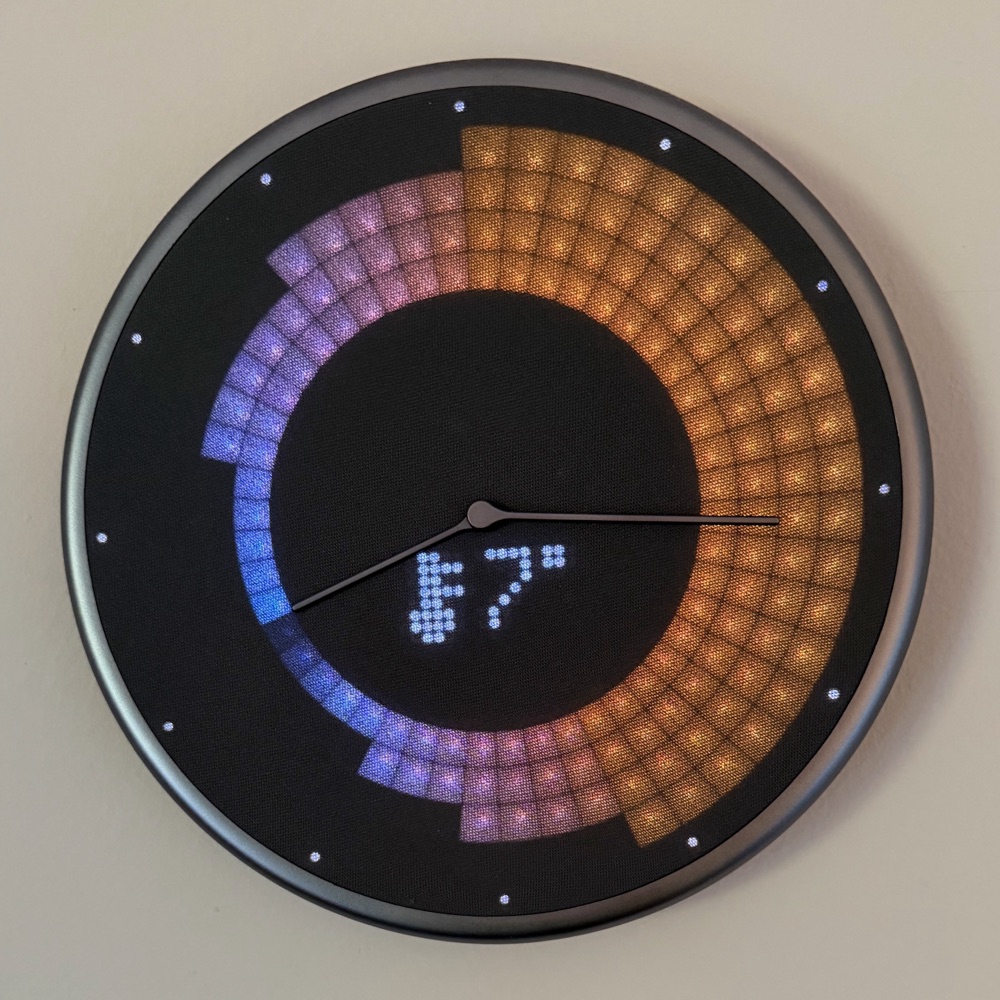
Request a test build
Say thanks via PayPal
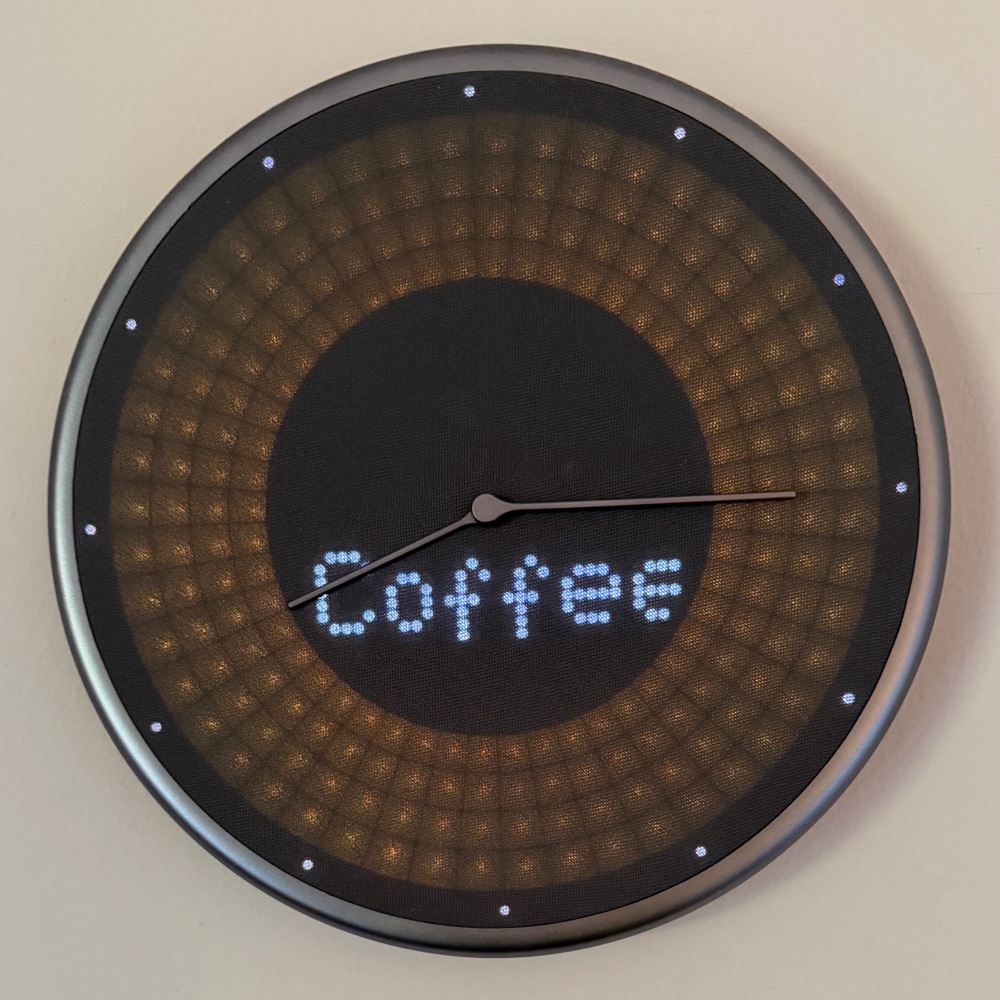
On the clock
In the app
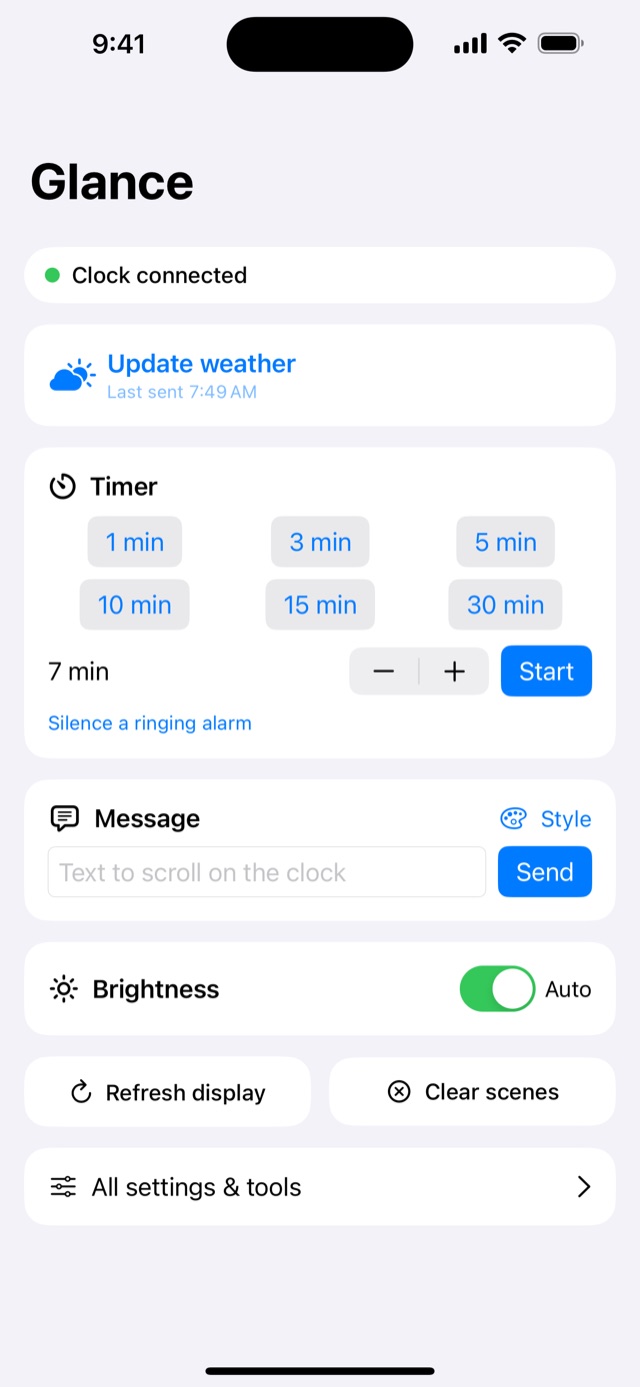
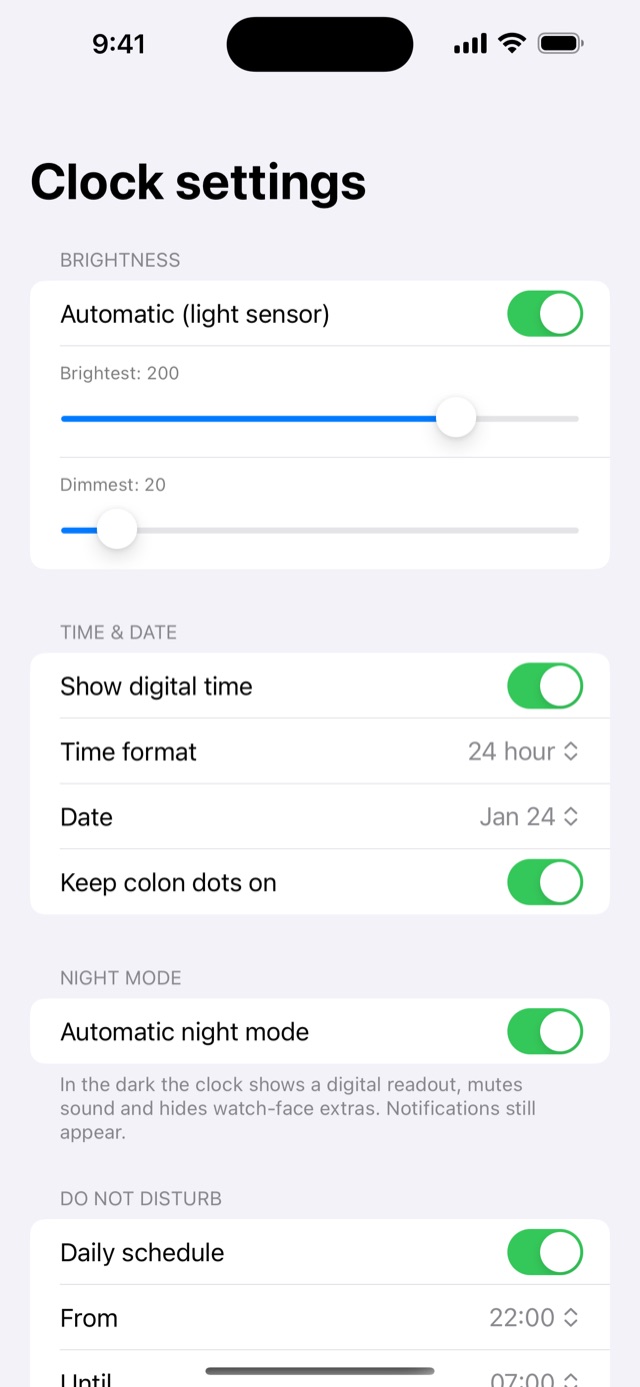
What it does
- Quick screen: one-tap weather update, timer presets, a message box and brightness, all on the first screen.
- Weather ring: the next 24 hours of temperatures drawn on the clock's LED ring, in °C or °F.
- Timer: counts down on the clock, and can silence the alarm after a few seconds so it doesn't ring until you reach it.
- Messages: scrolling text with your choice of colour, animation and sound.
- Clock settings: brightness (including auto), 12/24 hour, date format, night mode, do-not-disturb and mute.
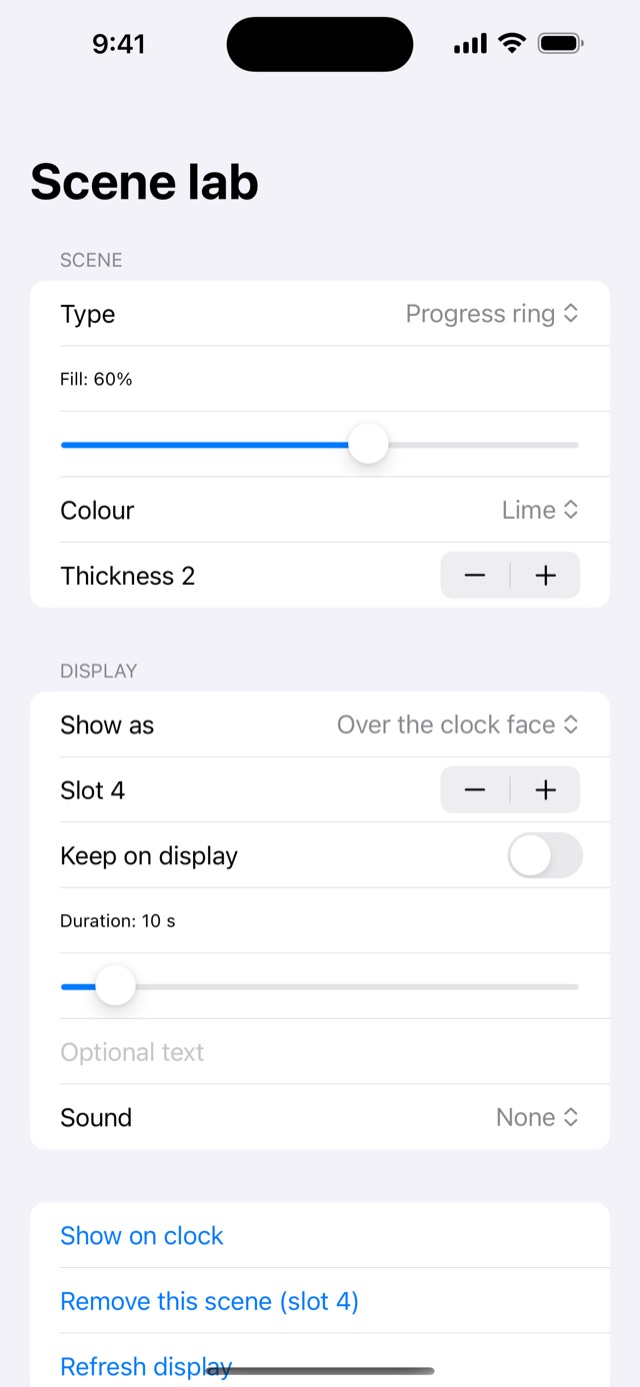
- Ring graphics: a progress ring, moving bars, pulses, built-in animations, and snow, rain or fog effects.
- Shortcuts: actions for sending a message, updating the weather, starting a timer and showing progress, so Siri and automations can drive the clock.
- Stays connected: it reconnects to the clock by itself, and refreshes the weather when the clock reconnects if it is over an hour old.
What it can't do
Read your phone's notifications
iOS doesn't let one app see another app's notifications, so messages from WhatsApp or Messages can't appear on the clock automatically. Shortcuts can send your own text.
Alarms and calendar events
The clock's alarm and calendar commands are only partly understood, so Glance Bridge doesn't use them yet.
Change the timer alarm's volume
The clock has no volume setting, and its timer alarm ignores mute. Glance Bridge works around this by silencing the alarm for you a few seconds after it starts, while the app is open.
Work on every clock
I have tested it on one clock. Other firmware versions may behave differently.
How it works
Glance Bridge talks to the clock directly over Bluetooth, with no server or account in between. The clock's Bluetooth protocol was worked out by the community, and I'm grateful to the author of the public glance-clock documentation, which this app builds on. The clock sets its own time from your iPhone.
Privacy
There are no accounts and no analytics, and the app doesn't send anything to me. It uses your approximate location only to fetch the local forecast from a weather service, and remembers it on your phone so Shortcuts can update the weather later.
Unofficial
Glance Bridge is an independent project. It is not made, endorsed or supported by the makers of the Glance Clock, and "Glance" belongs to its owners. It is provided as is, and it shouldn't be relied on for anything important, such as timing medication.