BarDeck
A floating button bar for your Mac.
BarDeck keeps the things you reach for most one click away, on a slim bar that floats above your other windows without taking focus. Open folders and apps, run Shortcuts, press key combinations, paste text, and see extra buttons that appear only for the app you are using. It is the Touch Bar idea, on any Mac.

macOS 13 or later · Apple silicon and Intel · 14 days to try everything, then a one-time licence key.
What it does
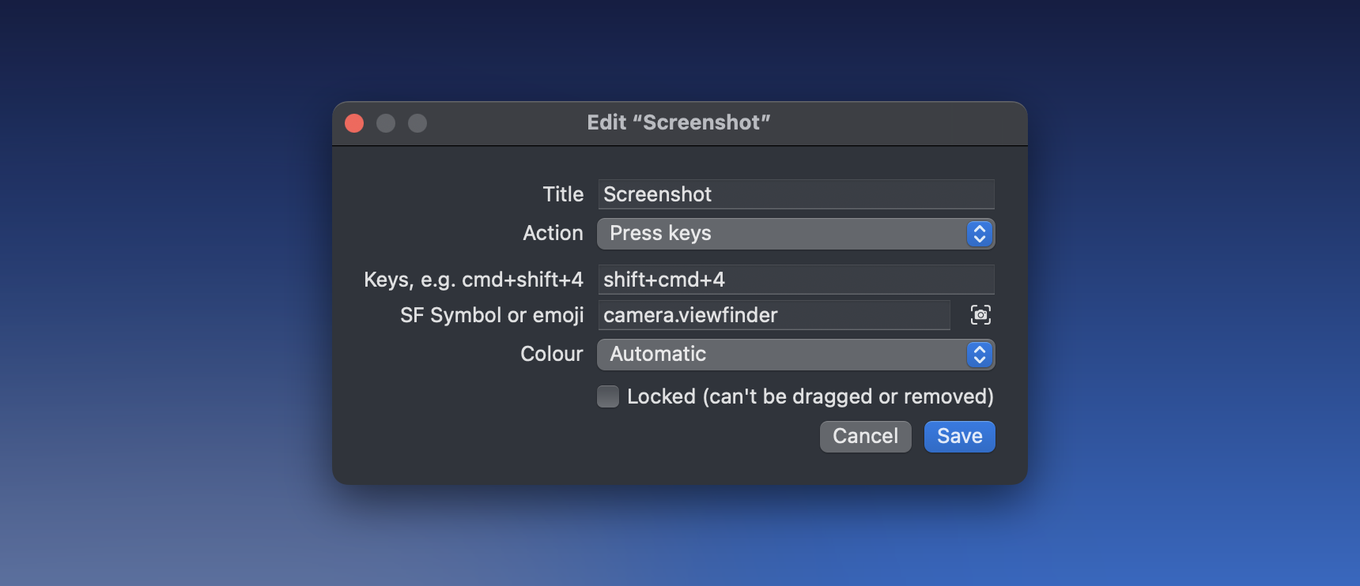
- One-click buttons. Open a folder, file, app or website. Run any of your Shortcuts. Press a key combination or paste a piece of text. Run a shell command or an AppleScript.
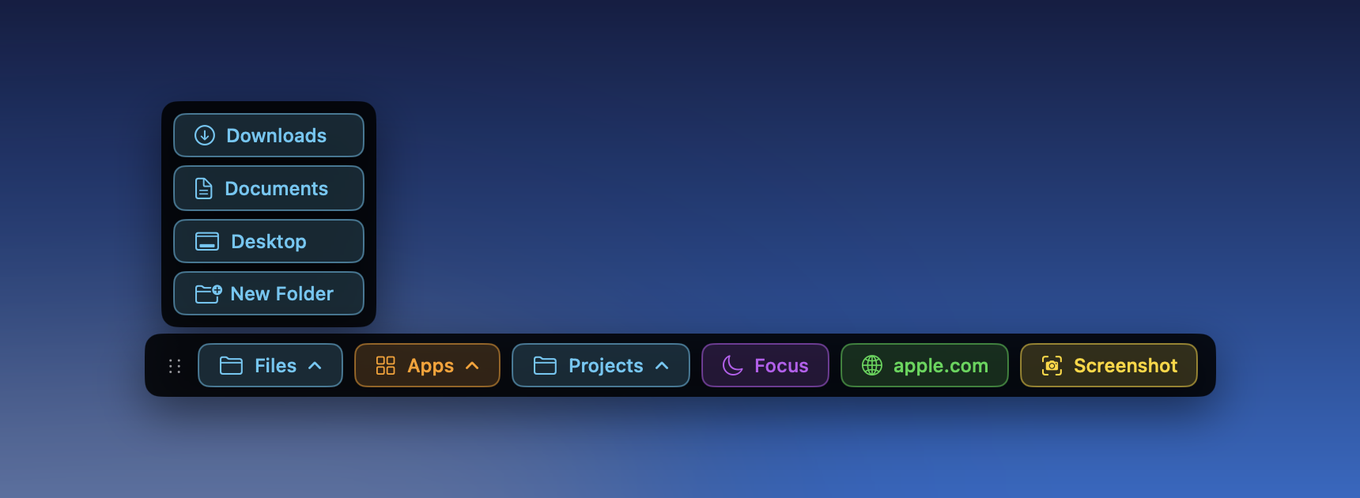
- Stacks. Group buttons into a stack that flies out upwards (or downwards, if the bar is at the top of the screen).
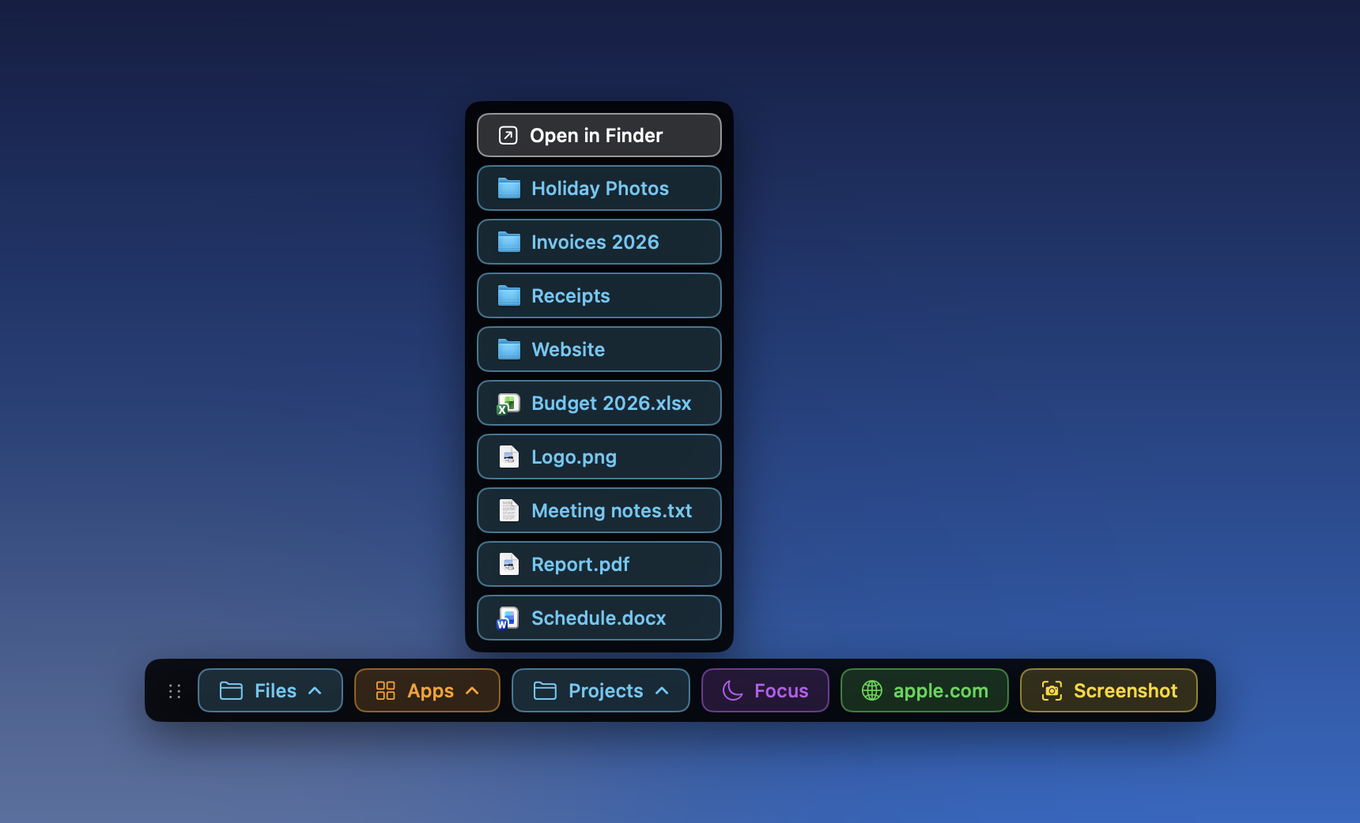
- Folder buttons. Click a folder to browse what is inside it, right from the bar, and step into sub-folders.
- Buttons that follow the app you are using. Add a set of buttons for Mail, Safari, Final Cut Pro or anything else. They appear after a divider only while that app is in front.
- Ready-made sets. One click adds a set for Mail, Safari, Finder, Terminal, Messages, Photos, Excel, Word, Final Cut Pro or Music, and one click removes it again.
- Easy to arrange. Drag buttons to reorder them, drag them into and out of stacks, and drop an app, folder, file or web link on the bar to make a button. Drop a file on an app button to open it with that app.
- Stays out of the way. Auto-hide, a hotkey to show and hide it, a menu bar icon, and it remembers where you put it.
- Safe to experiment. Undo your last changes, lock buttons so they cannot be moved or removed, and automatic backups you can restore from.
See it

Try before you buy
Download it and use everything for 14 days. After that the bar shows only a prompt to buy or enter a licence key; your buttons are kept exactly as you left them and come straight back when you activate. It is a one-time purchase: £9.99. Your licence key arrives by email straight after you buy, and it covers every 1.x update.
Permissions it may ask for
BarDeck asks only when you use a feature that needs it, and everything else works without them.
- Accessibility, for the press keys and paste text buttons, which work by sending keystrokes to the app in front.
- Automation, for the New Folder button, which asks Finder to create a folder in the window you have open.
Private by design
There is no account, no analytics and no tracking. Your buttons and settings stay on your Mac. Read the privacy policy.
Questions
- Why isn’t it on the Mac App Store?
- Apps in the Mac App Store have to run in a sandbox, and the sandbox does not allow an app to send keystrokes to other apps or to script Finder. Those are some of the most useful things a button can do, so BarDeck is sold directly instead.
- Does it replace the Dock?
- No. It sits alongside it. Think of it as a set of your own shortcuts that is always in reach, not a launcher for everything.
- What happens if I move to a new Mac?
- Install BarDeck there and enter the same licence key. Your buttons live in a small file you can copy across (the right-click menu has Edit config file and Backups).
- Do I have to pay for updates?
- No. Your licence covers every 1.x version, including new features as well as fixes. If a 2.0 ever arrives it may be a paid upgrade, and I would say so clearly before you were asked to pay anything. 1.x would keep working either way.
- Does it update itself?
- Yes. It checks for new versions in the background and asks before installing anything. You can also choose Check for Updates… from its menu.
Help
See Support for common questions.